
Home » Register
PKOKO Register: Fast Mobile Registration, Verified Name Match, Local Support
Quick, verified sign-up that fits BD mobile habits and privacy expectations
The PKOKO register process is built for quick mobile use. Create your account in minutes, confirm with a one-time SMS code, and protect your profile with strict name checks that keep payouts smooth and secure.
Start on PKOKO Online or the PKOKO app to create PKOKO account with your mobile number and a secure password. Expect clear steps, helpful prompts, and support that understands local needs, from match-day traffic to payment-name matching.

Why creating your PKOKO account improves speed, trust, and local playing comfort
Registration unlocks member tools that keep you fast, informed, and protected on mobile.
Faster access on match days and big cricket moments
Stay ready for toss updates and live odds without long forms getting in your way. Your details are saved, so you can act faster when the game turns.
Verified profile for smooth, name-matched payouts
Use your real name as shown on your ID and wallet. This small step builds trust and helps prevent payout delays later.
Member perks on JILI slots and featured tournaments
Enjoy member-only drops, slot races, and priority access to JILI events. Your account keeps your progress, favorites, and rewards in one place.
Account security tuned for BD mobile habits
Protect your play with SMS OTP, device lock, and optional biometric login. Quick to use, strong against misuse.
Follow these mobile-first steps to open your new PKOKO account securely
- Go to the PKOKO official site or open the PKOKO app on your phone.
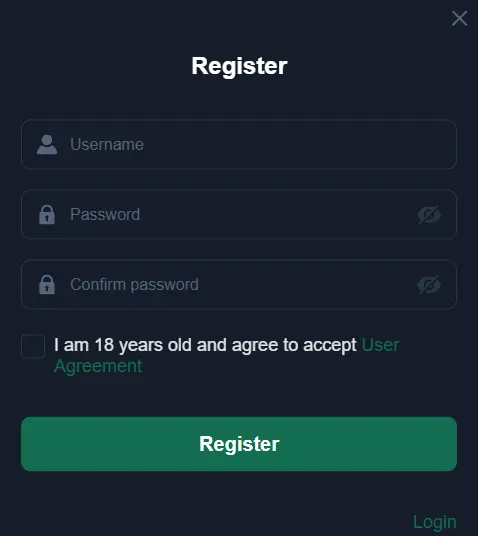
- Tap Register and enter your mobile number. Create a strong password you can remember.
- Enter the SMS OTP to confirm it is your number.
- Add your full name (as on your ID/wallet), date of birth, and email for recovery.
- Enable a device lock or biometric login for quicker, safer access.
- Review and accept the terms, then submit to finish creating your profile.
If you prefer installing the app directly, download and install the PKOKO APK from the secure in-app link after registering.
Smart setup tips for BD users who want fast access and reliable payouts
Match your legal name and wallet details
Use your real name as shown on your ID and payment wallet. This name match speeds up verification and prevents payout holds.
Create a password habit you can stick with
Use at least 10 characters with a mix of letters, numbers, and symbols. Don’t reuse passwords from social apps. Change it every few months.
Lock your device and enable biometrics
Add fingerprint or face unlock in the app. If your phone is lost, support can help secure your account, but a lock saves time.
Verify phone and email for quick recovery
Keep both verified. If you switch SIMs or phones, recovery is easier and faster.
Set limits before busy match days
Use deposit, loss, and time reminders. These controls keep your play focused when cricket action is intense.
Get payout ready with local methods you already use
Add a withdrawal method in your name to avoid delays. Supported local options include bKash, Nagad, Rocket, and Upay. Keep the wallet owner name the same as your PKOKO profile.
Tune notifications to your schedule
Enable alerts for line changes, cashout updates, and slot tournaments. Prioritize cricket markets you follow most.
Advantages of registering now, from bonuses to cricket odds and slot favorites
Access personalized cricket markets, quick-bet tools, and saved favorites that fit how you play. Explore JILI slots, hot new releases, and member tournaments that track your progress and rewards.
Enjoy fair promotions, clear terms, and loyalty boosts tailored for active members. Watch for PKOKO cashback on select events and activity milestones so your play goes further.
Use the PKOKO app for faster load times, smart notifications, and an experience tuned for mobile data. A PKOKO new account also unlocks trusted support, community tips, and early looks at featured matches and games.
New member questions about register, verification, payments, and first-time access
How long does it take to create my account?
Most users finish register in a few minutes. Enter your mobile number, create a password, confirm the SMS OTP, and you’re set. Profile checks can complete in the background.
What verification is needed to withdraw?
Use your real name and keep it the same on your wallet. Support may request ID or a quick selfie check to confirm it’s you before the first withdrawal.
Can I sign up with one number and use multiple devices?
Yes, but keep one primary phone for OTP delivery. If you switch devices often, enable email recovery and keep your number active for smooth logins.
Where do I get the mobile app?
Open the app section inside your account after registering. You’ll see the safe download link and simple steps to install on your device.
How do I reset my password if I forget it?
Tap Forgot Password on the login screen, confirm your number, and enter the SMS code. Set a new password and log back in.
Ready when you are, open your PKOKO account and start with confidence
Your mobile is all you need to get started. Sign up in minutes, confirm with OTP, and enjoy trusted tools built for cricket days, slots sessions, and everyday play.
Create your profile now to PKOKO open account with verified details, quick access, and helpful support. The sooner you register, the sooner your settings, limits, and favorites start working for you.